Privacy · Security · Freedom
Own Your Data.
Own Your Freedom.
You're not a product. Take back control of your phone —
with a guide you can follow yourself, or with me on a call.
Your phone is watching you.
Every app you open, every place you go — tracked, stored, and sold. You agreed to it buried in a terms of service. You don't have to keep living that way.
Buy a regular phone
Tracked 24/7 by Big Tech
Your data is sold
Take back your phone,your way
- A complete, beginner-first guide to de-Googling your phone yourself — from choosing the right Pixel to installing GrapheneOS step by step, to moving your whole digital life off Google without losing anything. Written for people who have never opened a terminal. £39, instant download.Learn more ↓
- Buy your own Pixel and we de-Google it together on a 90-minute call. I explain each step as we go, set up the apps you actually use, and stay with you until it all works. You end up with a private phone, and more importantly, you understand how it works. £110.Learn more ↓
- Do not want to touch any of it? I will source a Pixel, install GrapheneOS by hand, set it up and send it to you ready to use. Made to order and quoted individually — just ask.Learn more ↓
Reviews
What our customers say
All 5-star reviews. Real customers, real privacy transformations.
“Marco helped explain the options and benefits of improving one's privacy and set me up with my first de-googled phone. He is always there to answer questions. I unhesitatingly recommend his services.”
“Marco has been incredibly supportive and helpful in finding me a new laptop. I transitioned from Microsoft to Linux and he absolutely made this journey easy and exciting. Happy to have found him!”
“Marco really helped me in transitioning from iPhone to de-googled Android. He was so helpful and clear in taking me through how it worked and what apps to use and avoid. Great service and product.”
“Marco is very good at working with one's mindset to facilitate understanding the de-googled phone. He is patient and thoughtful in his endeavour to help meet your needs and get the most from your 'alternative' device. 👏”
“Not only did Marco get me a phone but also excelled in teaching me everything I needed to know, as well as transferring all my data from my iPhone. I would highly recommend him. 😊”
“So impressed with this unique service. Marco was so helpful with my many questions. The phone is great and it's so reassuring that it's been set up to ensure privacy. Everything delivered quickly. Amazing service!”
“Excellent service. Marco was brilliant from start to finish. Thanks Marco.”
“Amazing product and Marco was very helpful ensuring I was fully competent with my new device.”
£39 · Instant download
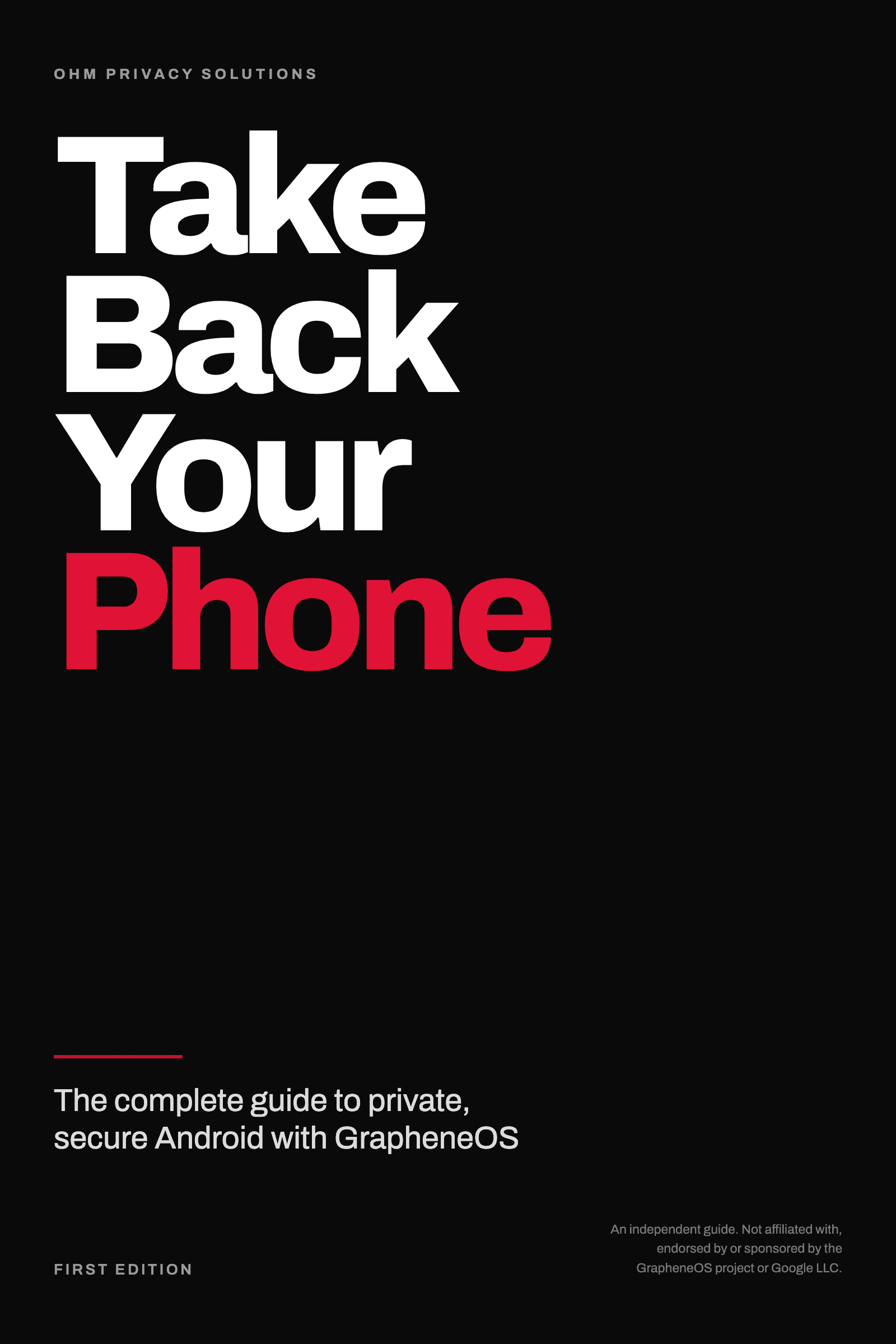
Take Back Your Phone
The complete guide to de-Googling your Android phone with GrapheneOS.
Installing GrapheneOS takes about forty minutes — ten of them hands-on. Everything else takes longer: deciding whether you should, checking what breaks before you spend money, getting your photos and passwords out of Google without locking yourself out, and living with it afterwards.
That is the part nobody writes down. This book is twenty-three chapters — the install is two of them.
Before you start: which Pixel to buy and which to avoid, what genuinely will not work (tap-to-pay, some banking apps), and how to back up so nothing is lost and no account gets locked.
The install: seven lettered steps, a drawing of every screen you will see, so you always know you are looking at the right thing.
Afterwards — the half most guides skip: setting your lock properly, which apps replace the ones you are leaving, moving email, photos, contacts and messages off Google one service at a time over six weeks, and what to do when something misbehaves.
Written in plain English, for people who have never opened a terminal and have no plans to.
You get a 176-page PDF and an ePub, plus five printable companion sheets. 30-day refund — if it is not for you, email me within 30 days and I will refund you in full.
Buy the guide for £39Secure checkout via Stripe. Instant download once payment completes.
By purchasing, you agree to our Terms of Service and Returns Policy.
OHM Privacy Solutions is independent and not affiliated with, endorsed by, or authorised by the GrapheneOS project. GrapheneOS is free software — anyone can install it themselves at grapheneos.org at no cost, and this guide shows you how.
Not sure this is for you?
Some people would rather have company while they do it, and that is a good outcome too. A remote installation session is £110 — we do the same thing together on a call.
Book an installation instead£110 · 90 minutes · one to one
Remote GrapheneOS Installation
We do it together, on a call. You buy the phone, I show you how to de-Google it step by step over a screen-share, and I stay with you until everything works. You end up with a working phone — and you know how it works.
Need to reschedule? 24 hours' notice and there is no charge. Full details on the Terms page.
Before the call
Tell me which apps, bank, and phone listing you're considering, and I'll check them all as part of your session — so there are no surprises once we're on the call.
On the call
We install GrapheneOS together, from the beginning. I explain what each step does as we go, rather than doing it silently while you watch. Then we set up the apps you actually use, get your contacts and calendar working, and go through the settings that matter. If you want Google Play in a sandbox, we set that up too — there is no purity test here.
After the call
You get 30 days of email support for anything related to your setup. I reply personally, usually within a day.
GrapheneOS only runs on Google Pixels — they are the only phones that let you install a different operating system and then lock the phone again, so it verifies its own software every time it starts.
My recommendation: the Pixel 9 Pro. The best hardware for the money now that the 10 series has arrived, with security updates guaranteed until August 2031.
On a budget: the Pixel 9a. Roughly half the price, the same security hardware, supported until April 2032. Nothing about privacy or security is compromised — you give up camera quality and screen refresh rate.
If you want the longest life: the Pixel 10a, supported until March 2033.
One thing to avoid: do not buy a phone sold by a mobile network on a contract. Carrier versions often cannot be unlocked. Buy an unlocked, carrier-free handset — look for "unlocked" or "carrier-free" stated explicitly in the listing. New or used is fine.
What else you need
- A computer — Windows, Mac or Linux — with a USB-C cable.
- 90 minutes — where you will not be interrupted.
- No technical knowledge. — That is the entire point.
The trade-off
I can also just source and send you a finished phone — some people prefer that, and I am happy to quote for it. Doing it together on a call costs less, and you end up understanding your own phone, which matters when something changes in six months. Not ready for a call? Take Back Your Phone walks through the same process in writing, for £39.
1-on-1 · Personalised · From £75/hr
Other ways to book time with me
Looking for the remote GrapheneOS installation session instead? It has its own section, just above. These two cover everything else.
Data migration session — £110
90 minutes. Moving from an old phone and want help bringing your photos, contacts, messages and accounts across? We do it together on a call, so nothing gets lost and you know where everything went.
General privacy advice — £75 per hour
Not sure what you need yet, or want to talk about something broader — laptops, home network, family devices, where to start? Book an hour and ask me anything.
Need to reschedule any of these? 24 hours' notice and there is no charge. Full details on the Terms page.
Tailored to your level
Whether you're a complete beginner or already exploring GrapheneOS — Marco meets you where you are. No jargon, no assumptions.
Expert guidance
Marco has years of hands-on experience helping everyday people transition away from Big Tech — phones, apps, email, and more.
Honest, practical advice
Marco will tell you what actually works — including when a product isn't right for you. No upselling, no fluff.
Made to order
Done-for-you phones
I source the phone, install GrapheneOS by hand, set it up, test it, and send it to you ready to use. These are made to order rather than held in stock, so each one is quoted individually. Tell me what you are after and I will come back to you with a price and a timeframe.
If you are happy to buy your own phone instead, a remote installation session is faster and cheaper, and you learn how your own device works along the way. Done-for-you phones exist for when you would rather not touch any of it at all.
OHM Privacy Solutions is independent.
We are not GrapheneOS. We are not affiliated with, endorsed by, sponsored by, or authorised by the GrapheneOS project, and we do not speak for them.
GrapheneOS is free software.
Anyone can download and install it themselves at no cost from grapheneos.org, and our guide explains how. When you buy a device or a service from us, you are paying for hardware, for labour, and for support — never for the operating system.
 Recommended
Pixel 9 Pro
The best hardware for the money now that the 10 series has arrived. Security updates guaranteed until August 2031. If you want the absolute best — this is it.
- 6.3" Super Actua OLED display, 120Hz
- Google Tensor G4 chip
- 50MP triple camera system
- No Google account required
 Ask about this phone
Made to order · Quoted individually
Not sure it will work for you? See what doesn't work or email me before you buy.
 Best Value
Pixel 9a
Roughly half the price of the 9 Pro, with the same security hardware and support until April 2032. You give up camera quality and screen refresh rate — nothing about privacy or security is compromised.
- 6.3" pOLED display, up to 120Hz
- Google Tensor G4 chip
- 48MP dual camera system
- No Google account required
Ask about this phoneMade to order · Quoted individually
Not sure it will work for you? See what doesn't work or email me before you buy.
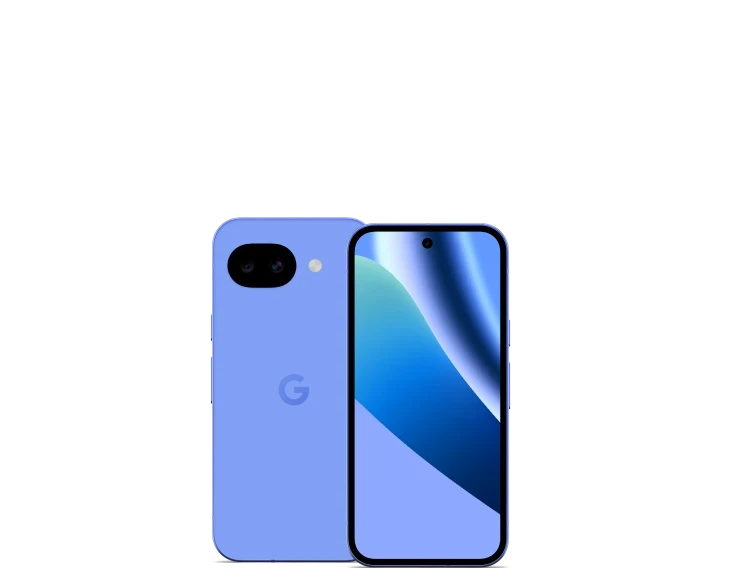 Longest Support
Pixel 10a
The newest budget Pixel, supported the longest of the three — until March 2033.
- 6.3" pOLED display, up to 120Hz
- Google Tensor G4 chip
- 48MP dual camera system
- No Google account required
Ask about this phoneMade to order · Quoted individually
Not sure it will work for you? See what doesn't work or email me before you buy.
What a done-for-you phone includes
- A carrier-free Pixel, sourced and checked
- GrapheneOS installed by hand and verified before it ships — check it yourself
- Bootloader locked and security hardened before dispatch
- 30 days of email support for questions about the device
Don't take my word for it
Buying a de-Googled phone means trusting someone else's word for what is actually installed. You do not have to. Every phone I sell runs the genuine, unmodified GrapheneOS build, and you can check it yourself in about ten minutes — no technical knowledge needed.
Why this is even possible
Pixel phones let you install a different operating system and then lock the phone again, so it cryptographically checks its own software every time it starts up — called verified boot. The useful consequence for you: the phone itself will tell you what it is running.
How to check your phone
Do this when your phone arrives, before you put any personal data on it. It takes about ten minutes.
Restart the phone and watch as it boots. You will see a screen saying a different operating system is installed, along with a long string of letters and numbers — a fingerprint of the software running on your phone.
Do not take my word for which value is correct. Go to grapheneos.org/install/web, select your phone's exact model, and compare the fingerprint shown there against what your phone displays. If they differ, something is wrong and I want to know immediately.
Go to Settings → About phone. It should say GrapheneOS. Then go to Settings → System → Developer options and find OEM unlocking. It should be switched off.
An unlocked phone could be modified by anyone who picks it up. A locked phone is protected by the verified boot check above. Any seller who ships you a phone with this left on has not finished the job.
(If Developer options is not visible, go to Settings → About phone and tap "Build number" seven times.)
In Settings → About phone, compare the build number against the current releases listed at grapheneos.org/releases. Yours should be recent — if it is months old, ask me why.
Install the Auditor app from the built-in app store. It uses a dedicated security chip inside the phone to produce cryptographic proof of what hardware, firmware and operating system are actually running, displayed on a second device so a compromised phone cannot lie to you about itself.
No second device? Any spare Android phone or tablet works — it does not need to be a good one, just something to read the result on.
Open the app drawer. You should recognise everything on it, because we will have discussed what you wanted before I set it up. If not, ask — and if there is not a straightforward answer, send the phone back.
Optional. Set your own PIN or passphrase — one I have never seen. Or factory reset the phone and set it up yourself from scratch: the operating system stays exactly as it is, only your data and your lock are rebuilt.
What I commit to on every device
- A carrier-free Pixel that can be unlocked and re-locked properly
- The genuine, unmodified GrapheneOS build, installed by hand
- Bootloader locked and OEM unlocking switched off before it ships
- The apps you asked for, and nothing you did not
- 30 days of email support after delivery
What will change
A de-Googled phone is a genuine upgrade to your privacy and your security. It is not magic, and some things will be different. Here is the complete, honest list.
- Google Wallet does not work, and there is no workaround. Your physical card works exactly as before, and some banks have their own contactless payment inside their app — but assume you will be tapping a card, not a phone.
- Most work fine. A few check whether your phone runs Google-certified software and will not open if it does not, and this changes constantly in both directions. The current picks and banking notes are kept up to date on the Resources page — that is the fastest way to check. Every bank also has a full website that works perfectly in the browser.
- Any phone connected to a mobile network tells that network which mast it is near — that is how phone calls physically work, and no operating system changes it. Your mobile provider still has that data. What changes is that Google no longer does.
- Pixel Watch and Wear OS devices depend on Google software in ways that do not work well here. Garmin and most fitness bands work fine as alternatives.
- Google Photos' "show me pictures of my dog at the beach" search is genuinely excellent and you will miss it. There are good alternatives, but be honest with yourself about this one. Google Assistant, Call Screening and a few Pixel-exclusive features also go.
- RCS messaging runs through Google. Without it, messages to iPhone users fall back to standard SMS. The real answer is moving the people you actually talk to onto Signal.
- This is the point, and it is also a genuine responsibility. That's part of what gets set up during an installation session or on a done-for-you phone — from then on, it is yours to maintain.
- Not many. But some. That is what the 1-on-1 sessions are for, and why I answer emails personally rather than handing you a box and disappearing.

The person behind OHMPS
Marco, Founder
I have always been fascinated by technology — not just using it, but understanding it, modifying it, and making it work differently.
As a child, I was opening toys, experimenting with devices, and figuring out how to set up recordings on the VHS without anyone showing me. Later, that curiosity grew into computers, Linux, Android phones, custom ROMs, and eventually privacy-focused devices.
During the lockdown years, I began questioning more deeply how modern technology affects our freedom, privacy, attention, and independence. I realised that many people were becoming increasingly dependent on systems they do not fully understand or control.
So I started with my own phone. I modified it, tested it, refined the setup, and saw that it was possible to use technology in a more private, secure, and conscious way. From there, OHMPS was born.
Today, I help everyday people, parents, families, and non-technical users take back control of their phones — whether that means working through the guide at your own pace, doing it together with me on a call, or asking me to source and set one up for you. Whichever way you choose, the goal is the same: privacy that is simple, reliable, and genuinely yours — not something you depend on me for.
My mission is to help people reclaim more control over their digital lives — not through fear, but through awareness, practical tools, and a more conscious relationship with technology.
FAQ
Frequently Asked Questions
Still have questions? Get in touch and Marco will help you out.
Contact Us- GrapheneOS is a privacy and security focused mobile operating system, built on the Android Open Source Project. It ships with no Google apps or services at all: not disabled, simply never there. It adds substantial hardening on top. Most Android apps run normally; a few, including tap-to-pay and some banking apps, do not. We tell you which before you buy. It's widely considered the gold standard in smartphone privacy and security.
Doing it yourself costs less, and you end up understanding your own device — which matters more than it sounds when something changes in six months.
The guide walks you through the whole thing for £39. If you would rather have company while you do it, a remote installation session is £110 and we do it together on a call. And if you genuinely do not want to touch it at all, I will source and set up a phone for you — just ask for a quote.
The large majority will — including messaging, maps, streaming, email, social media, and most banking apps.
There are some genuine exceptions, and I would rather tell you now than after you have paid.
A small number of banking and payment apps check whether your phone is running Google-certified software, and refuse to open if it is not. This varies by bank and changes constantly in both directions — search for your bank on discuss.grapheneos.org for the most current answer.
Google Wallet tap-to-pay does not work at all. Your physical card still works exactly as before.
Everything else, I will either set up for you or show you a better alternative. Checking what you rely on before you buy is worth five minutes of your time — see the app list and banking notes on the Resources page.
Yes. GrapheneOS is open-source software, and installing an operating system on a device you own is entirely legal in the UK. Google's own position is that unlocking a Pixel's bootloader does not void your hardware warranty, and UK consumer law protects you here regardless. The process is also fully reversible — a Pixel can be returned to stock Android in about twenty minutes.
Remote installation sessions are usually booked within a week, and take 90 minutes. Done-for-you phones are made to order — I will give you a realistic timeframe when I quote, normally one to two weeks depending on availability.
If I have sourced and sent you one, yes. You have 14 days from delivery to change your mind — just email me and send the phone back in the condition it arrived, tracked and insured, and I will refund you in full. You cover return postage. If it turns up faulty or is not as described, tell me within 30 days and I will repair, replace or refund it.
You check. Every phone can be independently verified in about ten minutes against values published by GrapheneOS, not by me — including a cryptographic proof generated by the phone's own security chip. Here's how →
Yes. A remote installation session is £110 for 90 minutes, and includes 30 days of email support afterwards. A data migration session is the same price. For anything broader — laptops, home networks, family devices, or just working out where to start — general advice is £75 an hour. Book on the Sessions section.
Stay in the loop
Privacy tips & updates
Occasional emails on digital privacy, new devices, and how to take back control. No spam, ever.
Unsubscribe at any time. We respect your privacy.
Get in touch
Whatever it is, I answer everything myself — usually within a day. Thinking about a phone? The Resources page has the current app list and banking notes — most questions are already answered there. Want a proper look at your specific situation? That is what sessions are for.
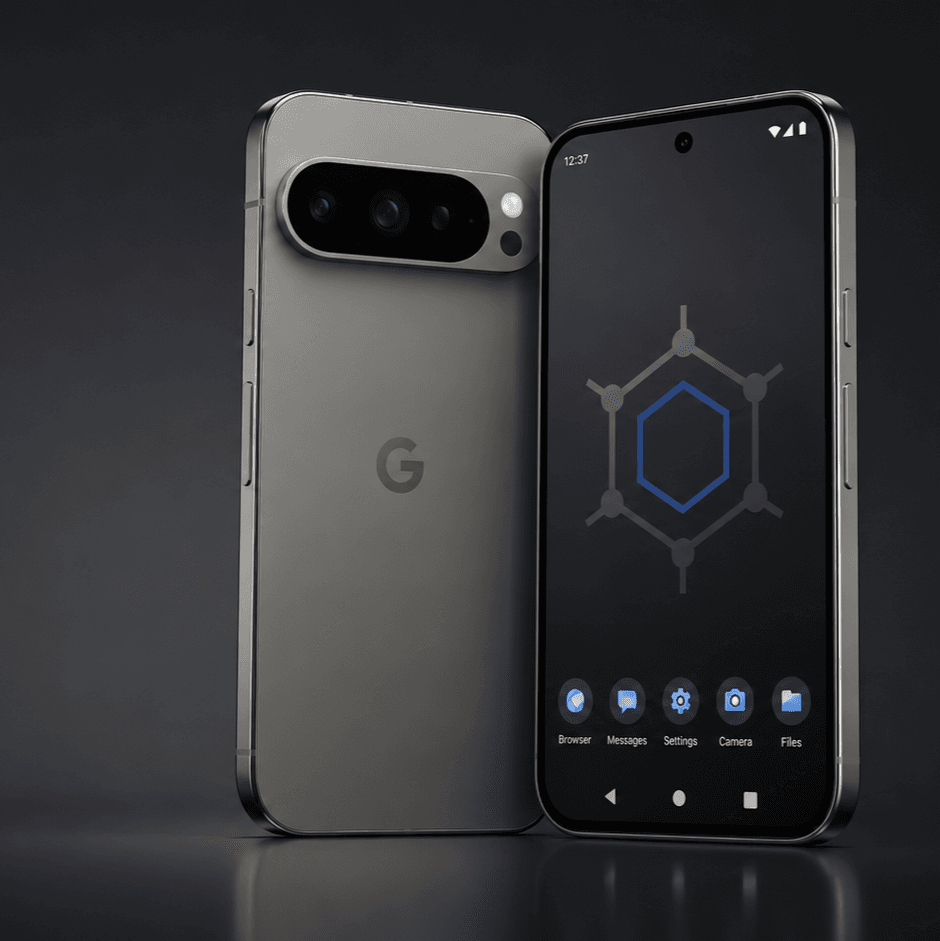
Your phone, running privately, by this time next week.
£39 to do it yourself, or £110 to do it with me on a call. Either way, you end up owning it outright — not renting your privacy back from me.